Boost Freelance Earnings with AI Tools
Discover how AI-powered tools can increase your freelance earnings by 40%. Learn how to leverage AI for productivity and higher pay. Find out now and transform your career instantly!
By Obed Avorlenu · · 15 min read
Important Disclaimer
This guide is for educational and informational purposes only. AI tool features, pricing, and availability are subject to change. Always verify current details on the official platform before subscribing. The author and VectricEarn are not responsible for any financial losses. This is not financial advice.
The 2026 Reality: AI Is No Longer Optional
In 2026, freelancing without AI is like driving with the handbrake on.
According to industry data from the Freelancer Kompass 2026, 84% of freelancers now use AI-powered tools regularly, up from just 41% in 2023. The financial impact is undeniable: studies, including a Freelancer’s 2024 Survey, confirm that AI-enabled freelancers earn 40% more per hour than traditional freelancers. For smaller companies and solo entrepreneurs, AI-powered freelancing represents both a challenge and an extraordinary opportunity.
The tools have matured significantly:
Reasoning models now handle complex, multi-step problems without breaking down.
Context windows have grown large enough to hold full project briefs and historical documentation.
AI agents can act across tools autonomously without you having to click back and forth between applications.
The gap between "AI can help with that" and "AI actually does that reliably" has closed considerably.
"The result: Freelancers who use AI strategically can reclaim 6 to 10 hours per week of non-billable time. That is not a productivity hack. It is a structural change to how much you can earn."
The African AI Landscape: What's Happening on the Continent
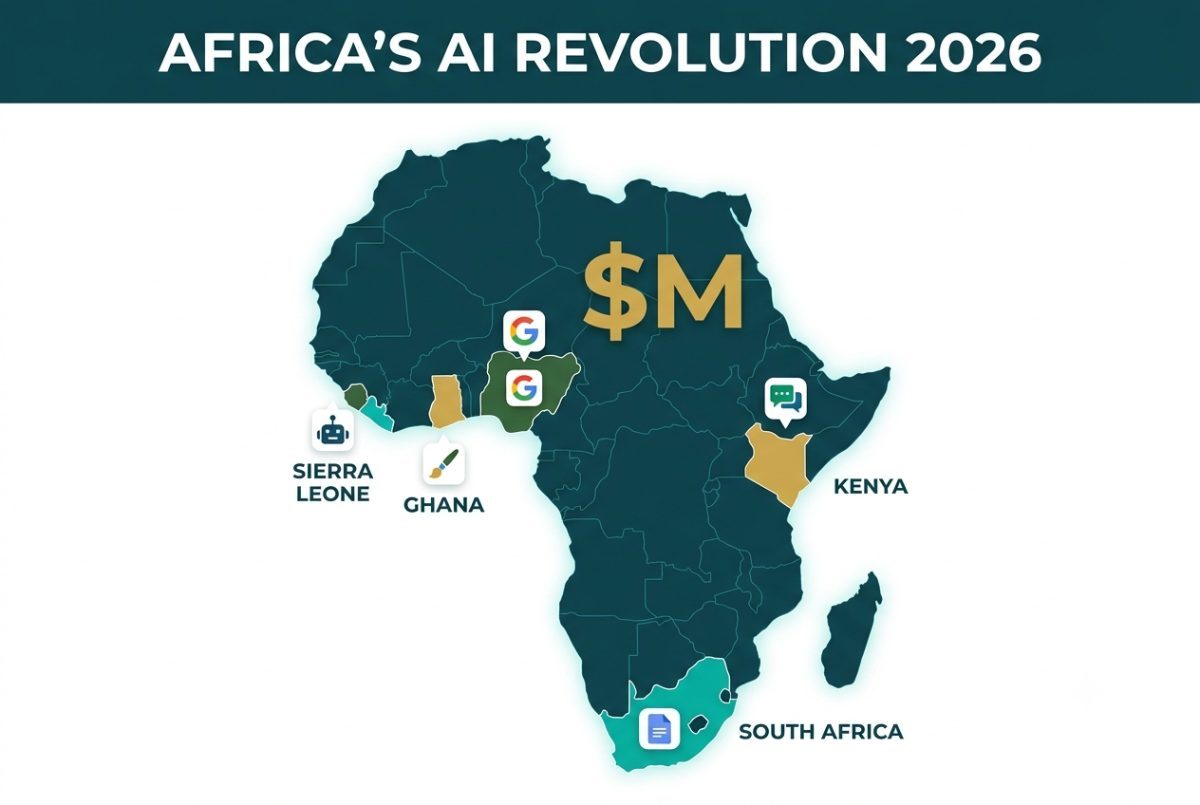
Across Africa, AI adoption is accelerating rapidly. Countries such as Nigeria, South Africa, Kenya, and Egypt are emerging as key AI adoption hubs. Reports from BusinessDay NG (2026) highlight that in several regional sectors, more than 60% of knowledge workers now use AI-powered tools regularly.
The Top 5 Most Used AI Tools in Africa
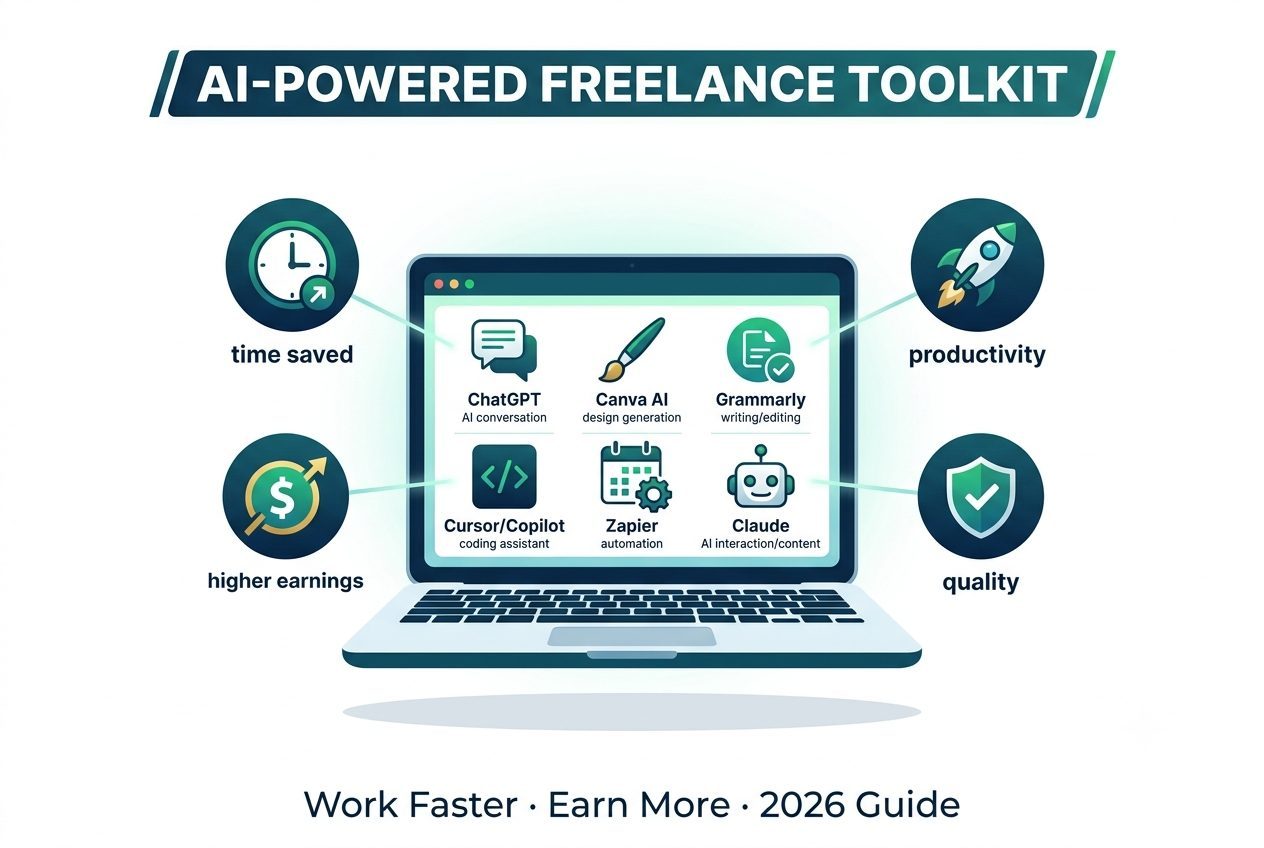
ChatGPT: Best for general productivity, writing, research, and multi-disciplinary problem-solving.
Canva AI: Best for graphic design, visual branding, and social media content creation.
Microsoft Copilot: Best for workplace productivity, enterprise integration, and office automation.
Grammarly AI: Best for writing improvement, clarity, and professional client communication.
Gemini (Google): Best for multimodal research, internet-connected synthesis, and integrated Google Workspace productivity.
Google and Idris Elba's $1 Million AI Initiative
In July 2026, Google and Idris Elba's Elba Hope Foundation launched a joint $1 million initiative to grant 100,000 creators across Nigeria, Ghana, Kenya, Sierra Leone, and South Africa free access to Google's advanced Gemini AI assistant alongside other high-level digital tools (reported via Bloomberg).
"The bottleneck is not a lack of vision. It's a lack of access. Talent is everywhere, opportunity is not."
— Idris Elba, Founder of the Elba Hope Foundation
Yamify: "Heroku for AI in Africa"
As reported by Tech in Africa (2026), Yamify, founded by Congolese entrepreneur Luc Okalobé, enables freelancers and web agencies to deploy GPU-powered AI tools directly from local African data centers in under one minute. Often described as the "Heroku for AI tools in Africa," Yamify has secured pre-seed funding from Launch Africa Ventures and allows creators to pay using local payment systems including Nigerian Naira, Kenyan M-Pesa, or Ghanaian/Ugandan MTN MoMo.
What this means for you: Africa is no longer a passive consumer of external AI technology. The continent is actively building its own infrastructure and creating direct paths for freelancers who adopt these tools early.
African Freelancer Workflows: Real-World Case Studies
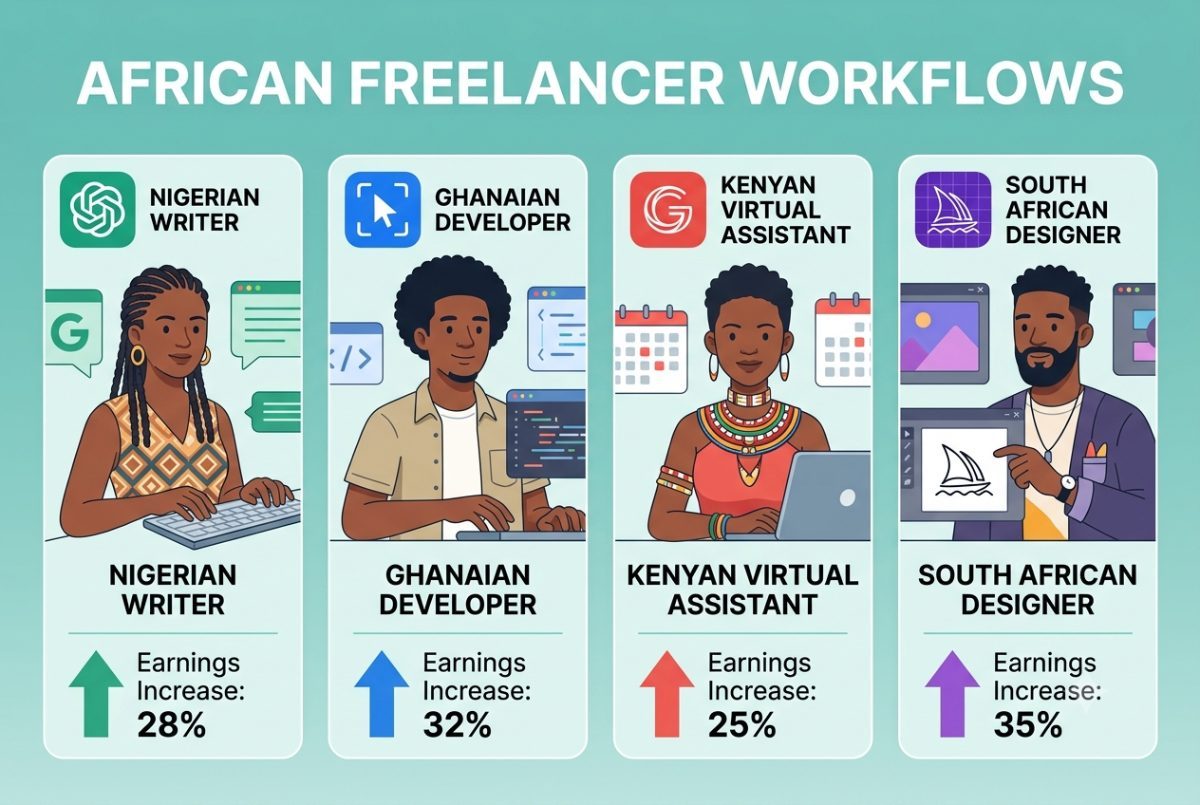
Instead of relying on generic advice, here is how African freelancers are actually combining tools to increase their output and hourly income.
1. Nigerian Freelance Writer Using ChatGPT + Canva
The Freelancer: A content writer based in Lagos who writes blog posts, email newsletters, and social media content for B2B SaaS companies.
The Workflow:
ChatGPT — Generates initial outlines, structure, and targeted research summaries.
Grammarly Premium — Polishes grammar, eliminates passive voice, and ensures a sleek tone.
Canva AI — Creates featured images, custom header graphics, and social media assets for client posts.
VectricEarn Freelance Rate Calculator — Establishes rates that factor in Upwork/Fiverr commission fees, tax obligations, and local living costs in Lagos.
Impact: She now produces double the content in the exact same timeframe and successfully raised her rates by 30% after calculating her true value.
2. Ghanaian Web Developer Using Cursor + Copilot
The Freelancer: A full-stack web developer in Accra who builds custom client websites and applications for international brands.
The Workflow:
Cursor — An AI-native code editor that indexes and understands the full codebase.
GitHub Copilot — Autocompletes repetitive code blocks and suggests functions; research published in Communications of the ACM confirms developer tasks are completed 55.8% faster using Copilot.
ChatGPT — Fast debugging, unit test creation, and explaining legacy code errors.
VectricEarn Freelance Rate Calculator — Calculates minimum billable rates after platform commissions and Ghanaian living expenses.
Impact: He completes development projects 55.8% faster, allowing him to scale his pipeline and bill $40/hour instead of $25/hour.
3. Kenyan Virtual Assistant Using Gemini + Zapier
The Freelancer: A virtual assistant in Nairobi managing complex calendars, customer inboxes, and operations for US entrepreneurs.
The Workflow:
Gemini (Google) — Researches industry trends and drafts rapid email responses inside Google Workspace.
Otter.ai — Automatically transcribes and summarizes client strategy calls.
Zapier — Automates cross-platform tasks such as updating calendars, syncing CRMs, and sending follow-ups.
VectricEarn Remote Salary vs Cost of Living Calculator — Benchmarks foreign USD revenue against local Nairobi living costs to optimize disposable income.
Impact: She expanded her capacity from 3 to 5 concurrent retainers, increasing her monthly earnings by $800 without adding extra work hours.
4. South African Graphic Designer Using Midjourney + Canva AI
The Freelancer: A brand designer in Cape Town producing brand identities and marketing materials for African tech startups.
The Workflow:
Midjourney — Generates unique visual concepts, custom textures, and art directions.
Canva AI — Converts concepts into accessible, editable social media templates for client teams.
Adobe Firefly — Generates commercially safe visual elements for corporate campaigns.
VectricEarn Freelance Rate Calculator — Adjusts pricing structures to reflect local South African costs and international market standards.
Impact: She delivers comprehensive visual identities in hours instead of weeks, building a premium portfolio that commands higher fees.
The AI-Augmented Freelancer Workflow Strategy
Your daily operations follow a repeatable client lifecycle: Acquisition → Proposal & Pricing → Project Delivery → Communication → Administration → Portfolio & Marketing.
Every stage includes billable tasks (the work clients pay for) and non-billable tasks (the operations required to run your business). Non-billable tasks represent your highest potential leverage point for AI implementation.
Operational Breakdown by Stage
Client Acquisition
Most Useful Tool Category: Communication tools
Primary Time Saving: Cold outreach drafting, prospective lead analysis, follow-up sequencing
Proposal & Pricing
Most Useful Tool Category: Writing and research tools
Primary Time Saving: Tailored proposal generation, market rate research, scope outlines
Project Delivery
Most Useful Tool Category: Writing, design, and coding tools
Primary Time Saving: Generating first drafts, code scaffolding, asset creation, revisions
Client Communication
Most Useful Tool Category: Communication tools
Primary Time Saving: Email drafting, status updates, client query responses
Admin & Invoicing
Most Useful Tool Category: Productivity and admin tools
Primary Time Saving: Meeting notes, auto-scheduling, invoice tracking, CRM updates
Portfolio & Marketing
Most Useful Tool Category: Writing and design tools
Primary Time Saving: Case study creation, promotional graphic generation, social scheduling
"The strategy: Attack the highest time-cost non-billable tasks first. Not the most interesting ones. Not the ones AI does best in theory. The ones that eat the most of your hours without generating any income."
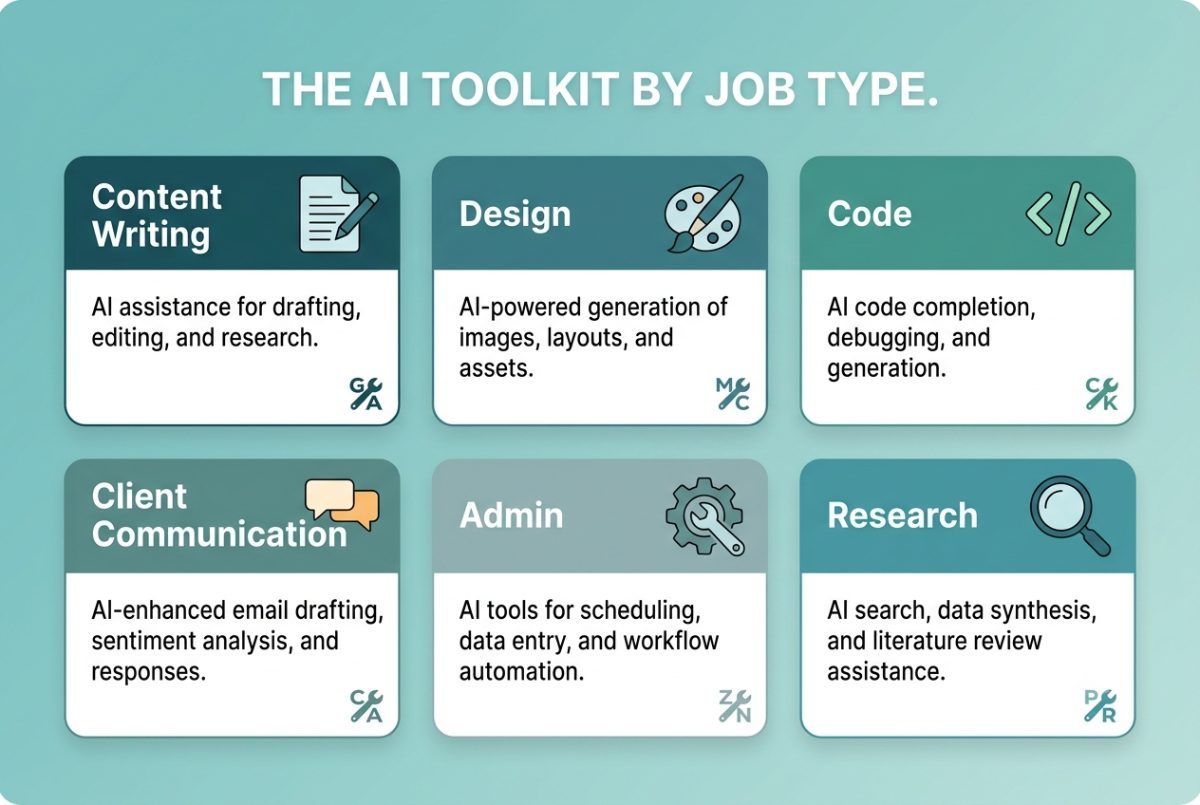
The Specialized AI Toolkit: Categorized by Job Function
Instead of a generic directory of software, here is the breakdown matched directly to your daily freelance obligations.
Job 1: Content Writing and Drafting
Goal: Produce publishable, high-impact content faster without sacrificing your individual tone or expertise.
ChatGPT (Free / $20/mo Plus) — Versatile drafting, brainstorming, and research. Offers a reliable all-around assistant for multiple formats.
Claude (Free / $20/mo Pro) — Long-form writing, complex logic briefs, and deep analysis. Exceptionally strong at nuanced, natural tone matching.
Jasper (Enterprise Pricing) — Marketing copy, campaign generation, and structured brand voice training for enterprise-level consistency.
Grammarly (Free / Premium) — Tone adjustments, sentence structure polishing, and clarity checks. Essential for professional proposals and client emails.
Recommended Workflow:
Generate structural outlines and early drafts with Claude or ChatGPT.
Polish readability, tone, and grammar using Grammarly.
Inject your personal insights, factual verification, and brand specifics.
⚠️ Critical Quality Warning: Research published in the Journal of Medical Internet Research (JMIR, 2024) revealed that AI writing models hallucinate citations and facts up to 28.6% of the time. Always verify citations and figures manually before sending work to clients.
Job 2: Design and Visual Content
Goal: Produce commercial-grade graphics and assets efficiently.
Canva AI / Magic Studio (Free / $13/mo Pro) — Social media assets, client pitch decks, and branded templates. Designed for speed without requiring advanced design software skills.
Midjourney ($10/mo) — Highly stylized digital art, customized client visual concepts, and unique background textures.
Adobe Firefly (Included in Adobe Creative Cloud) — Generative filled assets and vector adjustments backed by commercial safety guarantees.
African Context: Canva's AI-powered design suite has become indispensable for creators and businesses across Africa. Freelancers and agencies rely heavily on Canva AI to manage brand assets on platforms like Instagram, Facebook, and WhatsApp Business.
Job 3: Code and Software Development
Goal: Build features, ship clean applications, and squash bugs in less time.
Cursor (Free / Pro) — An AI-native code editor designed from the ground up for deep repository understanding and rapid refactoring.
GitHub Copilot ($10/mo) — Context-aware inline code completion. Proven by industry benchmarks to help engineers finish coding tasks 55.8% faster.
LangChain (Open Source) — Framework for building customized LLM applications, integrations, and automated agent logic.
Recommended Workflow:
Leverage Cursor or Copilot for auto-complete and function scaffolding.
Query ChatGPT or Claude to debug edge cases and explain complex error logs.
Perform security audits, code reviews, and manual test suite execution.
Job 4: Client Communication and Meeting Management
Goal: Respond to client requests rapidly while retaining professional boundary controls.
Claude Pro ($20/mo) — Drafts comprehensive, context-aware project responses and proposals from brief notes.
SaneBox ($7/mo) — Uses background intelligence to filter low-priority email and clean your inbox automatically.
Otter.ai ($17/mo) — Transcribes live client calls and generates automated bulleted summaries with assigned action items.
Granola ($14/user/mo) — Enhances audio notepad tracking during client discovery sessions so you can stay focused on the conversation.
Recommended Workflow:
Route incoming communication through SaneBox to eliminate inbox noise.
Generate thoughtful client replies using Claude drafts.
Log meetings and project requirements automatically using Otter.ai or Granola summaries.
Job 5: Administration, Invoicing, and Proposals
Goal: Streamline back-office administration, reduce overhead, and get paid faster.
FreshBooks ($17/mo) — Smart invoicing features, expense tracking, and automated payment predictions.
Plutio ($15–$30/mo) — Integrated proposal generation, legally binding contract handling, and automated invoicing natively built for freelancers (analyzed in Plutio 2026 Insights).
Flowara (Free Start) — Unified workspace combining project boards, active time tracking, and automated client invoicing.
Taskade (Free / Pro) — Transforms simple spreadsheets and tables into interactive client CRMs driven by background AI agents.
Zapier ($19/mo) — Connects disparate software tools to automate multi-step workflows without writing code.
Recommended Workflow:
Issue client proposals and contract agreements through Plutio or FreshBooks.
Track client milestones and renewal schedules inside Taskade.
Connect status triggers to email and communication tools via Zapier.
Job 6: Research, Strategy, and Analysis
Goal: Conduct market analysis, locate obscure sources, and structure insights faster.
Perplexity AI (Free / Pro) — Direct internet research interface providing citations for real-time web discovery.
Gemini (Free) — Multimodal research suite integrated into Google Workspace apps.
Notion AI (Free / Pro) — Workspace organizer that structures notes, project briefs, and strategy documents.
How to Build Your Freelance AI Toolkit (Pricing Tiers)
A standard AI software budget in 2026 ranges between $50 and $80 per month. Select the tier below that fits your discipline and stage of growth.
Tier 1: Essential Setup
Tools: ChatGPT Plus ($20) + Grammarly Free ($0) + Canva Pro ($13)
Total Monthly Cost: $33/month
Target Audience: Generalists, virtual assistants, entry-level freelancers.
Tier 2: Professional Setup
Tools: Claude Pro ($20) + Grammarly Premium ($12) + Canva Pro ($13) + Otter.ai ($17)
Total Monthly Cost: $62/month
Target Audience: Professional writers, strategy consultants, market researchers.
Tier 3: Developer Setup
Tools: ChatGPT Plus ($20) + GitHub Copilot ($10) + Cursor Free ($0) + Grammarly Free ($0)
Total Monthly Cost: $30/month
Target Audience: Web developers, software engineers, script automation builders.
Tier 4: Full-Stack Setup
Tools: Claude Pro ($20) + Grammarly Premium ($12) + Canva Pro ($13) + Otter.ai ($17) + FreshBooks ($17) + Zapier ($19)
Total Monthly Cost: $98/month
Target Audience: Full-time agency owners, high-volume freelancers, senior contractors.
Return on Investment Analysis: An annual tooling budget runs between roughly $600 and $960. If you bill between $50 and $150 per hour, the entire yearly subscription pays for itself if AI saves you just 1 to 2 hours per month—a threshold most freelancers pass within their first week.
How to Actually Use AI (The Right Way)
DO: Use AI for First Drafts, Not Final Products
Top-performing freelancers do not hand off their client responsibilities wholesale to AI. Instead, they use artificial intelligence to clear friction points and move through setup phases quickly:
Drafting initial outlines for proposals, articles, and emails.
Brainstorming fresh angles when starting projects.
Researching new client niches, target audience segments, or competitor products.
Summarizing multi-page strategy briefs or terms of service agreements.
Scaffolding baseline code frameworks and unit tests.
The objective: Spend less time on mechanical tasks so you can devote more energy to high-value strategy and creative execution.
DON'T: Hide AI Usage from Clients
Hiding your toolset creates unnecessary risk.
Position AI as a modern asset within your professional stack rather than a hidden shortcut.
A clear, proactive position works best:
"I use advanced AI tools for preliminary research and initial drafting. I then apply my personal expertise to direct, refine, edit, and finalize the output to match your business goals."
This approach protects client trust. Hiding your usage risks damaging your professional reputation if discovered, while over-disclosing can lead clients to question your pricing. Treat AI the same way professionals treat any modern software: as part of how high-quality work gets done.
DO: Retain Your Critical Human Judgment
AI accelerates execution, but expert human judgment remains your primary value driver. Clients aren't paying for raw AI output—they pay for:
Measurable Results
Strategic Oversight
Original Creativity
Clear Communication
Complex Problem Solving
The most successful freelancers combine machine speed with human oversight.
The Hard Truth: AI Tools Won't Do the Work for You
The biggest mistake a freelancer can make is assuming AI can run their business automatically.
AI output is directly constrained by the context and quality of your inputs.
As noted in medical and academic research (JMIR 2024), AI writing models hallucinate reference citations 28.6% of the time. They cannot replicate subtle brand voices or conduct field interviews without human oversight. AI handles volume exceptionally well—such as social media captions, short descriptions, and preliminary templates—but long-form deliverables requiring original research and strategic positioning demand a skilled human creator.
Similarly, while AI coding models accelerate syntax production by 55.8%, they cannot replace software architecture decisions, security audits, or clear communication about project requirements.
"The role of the freelancer is shifting from producing every individual word or line of code to directing, editing, and fact-checking. That is not a demotion. It is a promotion to higher-value work."
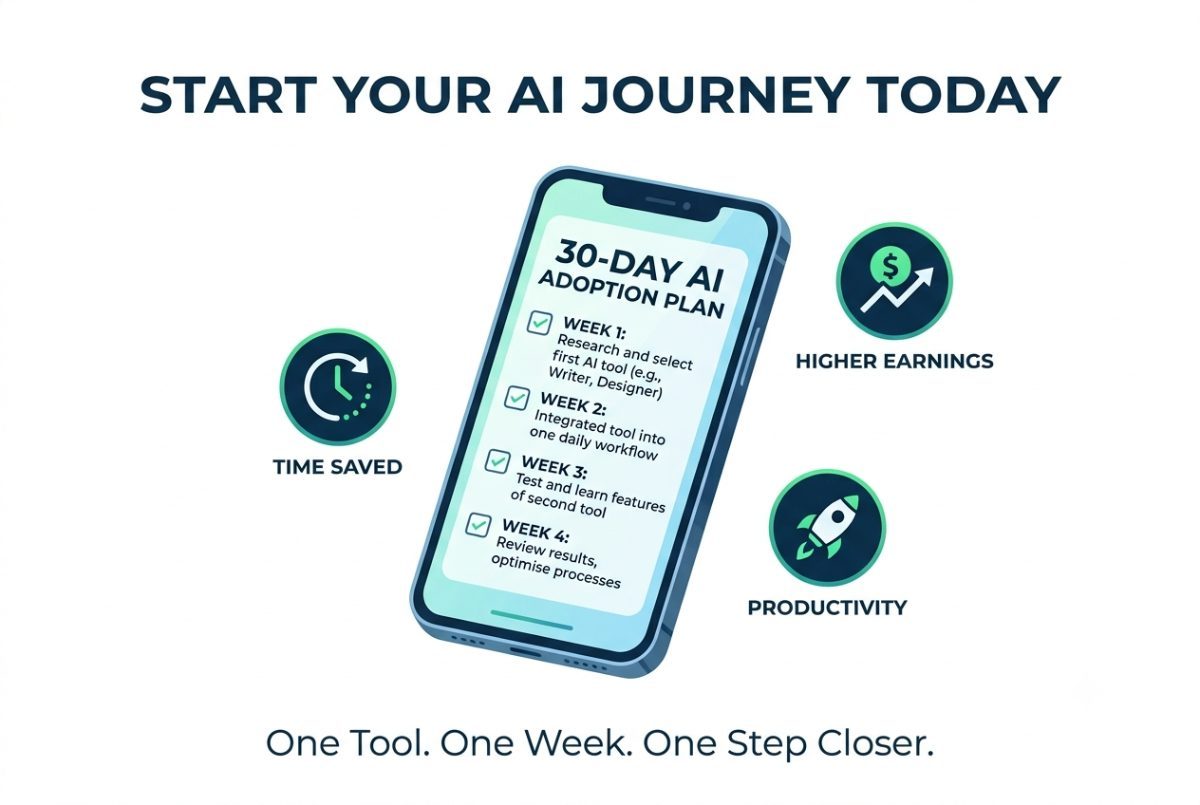
Your 30-Day Step-by-Step AI Adoption Plan
Week 1: Foundation
Choose ONE AI tool from this guide (e.g., ChatGPT or Claude).
Create your account on the platform.
Watch a tutorial covering fundamental prompting techniques.
Apply the tool to ONE real-world task this week.
Calculate your baseline financial metrics using the VectricEarn Freelance Rate Calculator.
Week 2: Integration
Introduce a second specialized tool (e.g., Canva AI or Grammarly).
Build both tools into your daily client operations.
Log how many non-billable hours you reclaim.
Identify recurring manual tasks ready for automation.
Week 3: Optimization
Integrate a third tool (e.g., Zapier or Otter.ai).
Set up basic automated connections between your primary applications.
Build a personal library of prompts for recurring client tasks.
Refine your input prompts to improve output accuracy.
Week 4: Evaluation
Review your total monthly time savings and output gains.
Calculate your effective hourly rate increase.
Re-evaluate and increase your client pricing structures using the rate calculator.
Select your next suite of tools based on operational bottlenecks.
Your One Action for Today
Open your laptop or mobile phone right now.
Select ONE AI tool mentioned in this guide.
Sign up for a free account.
Apply it to ONE pending task today.
Track how many minutes you save.
Then, calculate your true financial baseline:
Use the VectricEarn Freelance Rate Calculator to determine your actual minimum hourly rate after accounting for platform fees, business expenses, conversion rates, and local taxes. AI-enabled freelancers earn 40% more per hour—and that competitive gap will only continue to widen.
Freelance Rate Calculator: Determine your minimum hourly rate after accounting for taxes, platform fees, and business expenses.
Remote Salary vs Cost of Living Calculator: Compare foreign USD pay against local living expenses in hubs like Lagos, Nairobi, and Accra.
Savings Goal Calculator: Plan financial timelines for house deposits, equipment upgrades, or investment capital.
Emergency Fund Calculator: Calculate a 3-to-6 month financial safety net based on personal monthly expenses.
Investment Return Calculator: Model compound wealth accumulation using realistic African economic benchmarks.
AI Cover Letter Generator: Create tailored proposals and cover letters for remote job applications.
Freelance Bio Generator: Generate high-converting profile bios for Fiverr and Upwork.
Gig Description Generator: Draft optimized service gig descriptions to rank higher in marketplace searches.
Side Hustle Finder: Discover vetted online income opportunities tailored to your skill set.
USD to Local Currency Converter: Calculate real-time foreign exchange conversions to Naira, Cedis, Shillings, or Rand.
Stop reading. Start using.
Sources & References
Freelancer Kompass (2026) — 84% of international freelancers regularly integrate AI tools into their workflows.
Freelancer's 2024 Survey — AI-enabled freelancers earn on average 40% more per hour than non-users.
BusinessDay NG (2026) — Report on the top 5 most utilized AI platforms across major African economic hubs.
Bloomberg (July 2026) — Coverage of Google and the Elba Hope Foundation’s $1 Million AI and digital access initiative.
Journal of Medical Internet Research (JMIR, 2024) — Study analyzing large language model citation accuracy and hallucination rates (28.6%).
Communications of the ACM — Empirical research demonstrating a 55.8% speed improvement for developers using GitHub Copilot.
Plutio (2026 Insights) — Analysis of automated invoicing, proposals, and business workflows for modern freelancers.
Tech in Africa (2026) — Reporting on Yamify’s GPU cloud deployment infrastructure for African creators and agencies.
Last Verified: July 2026