Master Mobile Money Savings with MTN MoMo & M-Pesa
Discover how to optimize your mobile money accounts for maximum savings. Learn how to make the most of MTN MoMo, Airtel Money, and M-Pesa. Read now and start building wealth with Africa's top mobile money services!
By Obed Avorlenu · · Updated July 21, 2026 · 11 min read
IMPORTANT DISCLAIMER
This guide is for educational and informational purposes only. Interest rates, fees, and product features are subject to change. Always verify current rates and terms with your mobile money provider before making financial decisions. Features, fees, and interest rates may vary by provider and may change over time. Verify the latest information directly within your app before making any financial decisions. The author and VectricEarn are not responsible for any financial losses. This is not financial advice.
The Mobile Money Savings Revolution
Here is a stat that should change how you think about your phone: in 2024, 23% of adults in Sub-Saharan Africa saved money using mobile accounts — well above the 9% average for low- and middle-income countries globally. In Ghana, Kenya, Senegal, Uganda, and Zambia, around half of all adults saved with mobile money.
The share of adults with mobile money accounts surged from 27% in 2021 to 40% in 2024 — the highest rate in the world. Your phone is now one of the most powerful savings tools available.
"The transformation of mobile wallets from simple transactional tools to robust, wealth-generating engines is rewriting the financial playbook across Africa."
The big three — M-Pesa, MTN MoMo, and Airtel Money — are no longer just for sending cash. They offer savings accounts, interest-bearing deposits, automated savings features, and even investment products. Here is exactly how to use each.
M-Pesa (Kenya): The Savings Heavyweight
M-Pesa is the most advanced mobile money ecosystem in Africa. With over 60 million active users and $360 billion in annual transactions, it offers the deepest savings toolkit.
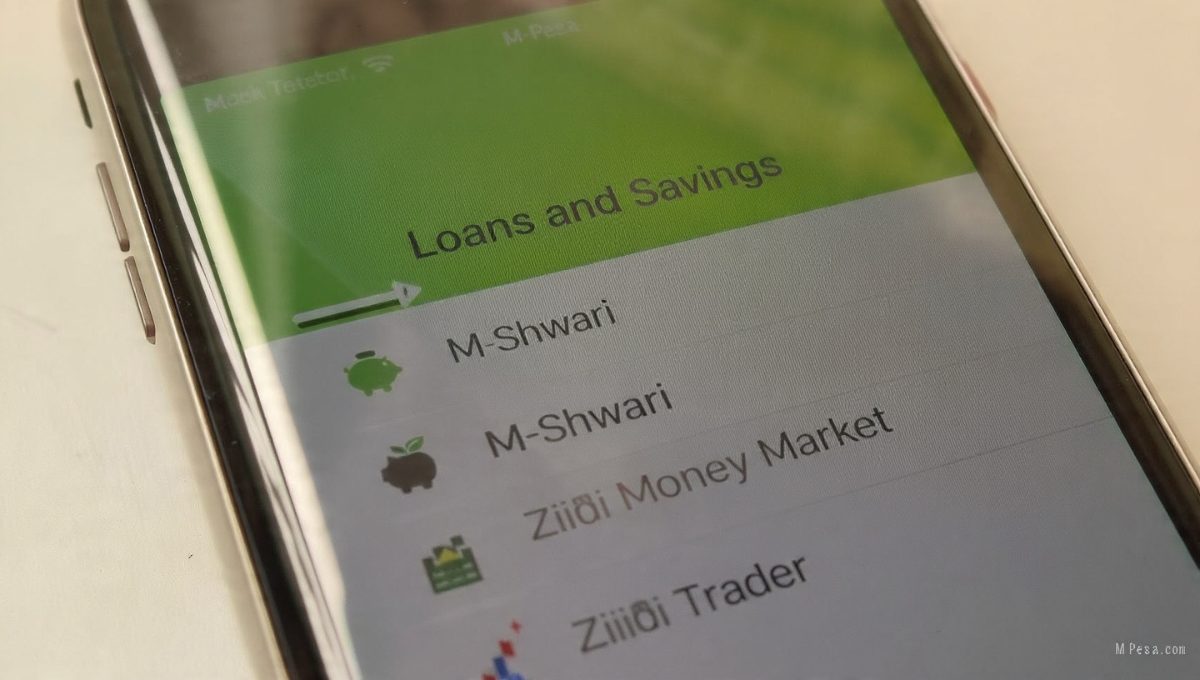
1. M-Shwari: The Classic
M-Shwari, a joint product of Safaricom and NCBA Bank, is the most accessible savings tool for M-Pesa users.
How to activate:
Open the M-Pesa menu on your phone or the MySafaricom App.
Select "Loans and Savings" → "M-Shwari".
Accept the terms and conditions.
You will receive a confirmation message.
How to save:
Go to M-Pesa menu → "Loans and Savings" → "M-Shwari".
Select "Send to M-Shwari" or "Send to Bank".
Enter the amount (as little as KSh 1).
Confirm the transaction.
Key Tip: The Lock Savings Account earns higher interest, but your money is inaccessible until maturity. Use this for specific, non-negotiable financial goals.
2. Ziidi: The M-Pesa Investment Hub
Safaricom has significantly expanded Ziidi beyond a simple money market fund. In February 2026, Safaricom partnered with the Nairobi Securities Exchange (NSE) to launch Ziidi Trader.
Ziidi Money Market Fund:
Over 1.5 million opt-ins and assets exceeding KES 13 billion.
A low-risk investment vehicle offering highly competitive market returns.
Ziidi Trader (New for 2026): Safaricom launched Ziidi Trader in partnership with the Nairobi Securities Exchange (NSE). You can now:
Buy and sell NSE-listed shares directly from your mobile phone.
Invest in corporate bonds.
Monitor your portfolio and access market insights digitally.
Access high-tier investment products without needing a traditional broker account.
What this means: M-Pesa has officially evolved from a basic savings tool into a full wealth-building portal, bringing direct stock market investing to millions of Kenyans.
How to access Ziidi:
Available through the M-Pesa app.
Set savings goals directly inside the app interface.
Track your investments in real-time.
3. The "SAYS" Concept: Save As You Spend
Note: This is currently a conceptual model developed by USIU-Africa researchers, rather than an active menu item. It is not yet widely deployed in standard menus.
How it would work:
Set it up once: Choose an automated percentage (e.g., 5%, 10%).
With every transaction (sending money, paying bills), that percentage is automatically deducted.
Money instantly moves to a locked savings account.
You can opt out per transaction if needed.
Why this matters: Saving becomes effortless and invisible. A KSh 50,000 spend with a 10% "SAYS" threshold automatically saves KSh 5,000.
MTN MoMo: The Continent-Wide Player
MTN MoMo operates in 14+ countries with approximately 283 million active users and $1.1 trillion in annual transactions. Its savings features vary by country, but Uganda and Ghana offer some of the most comprehensive options.
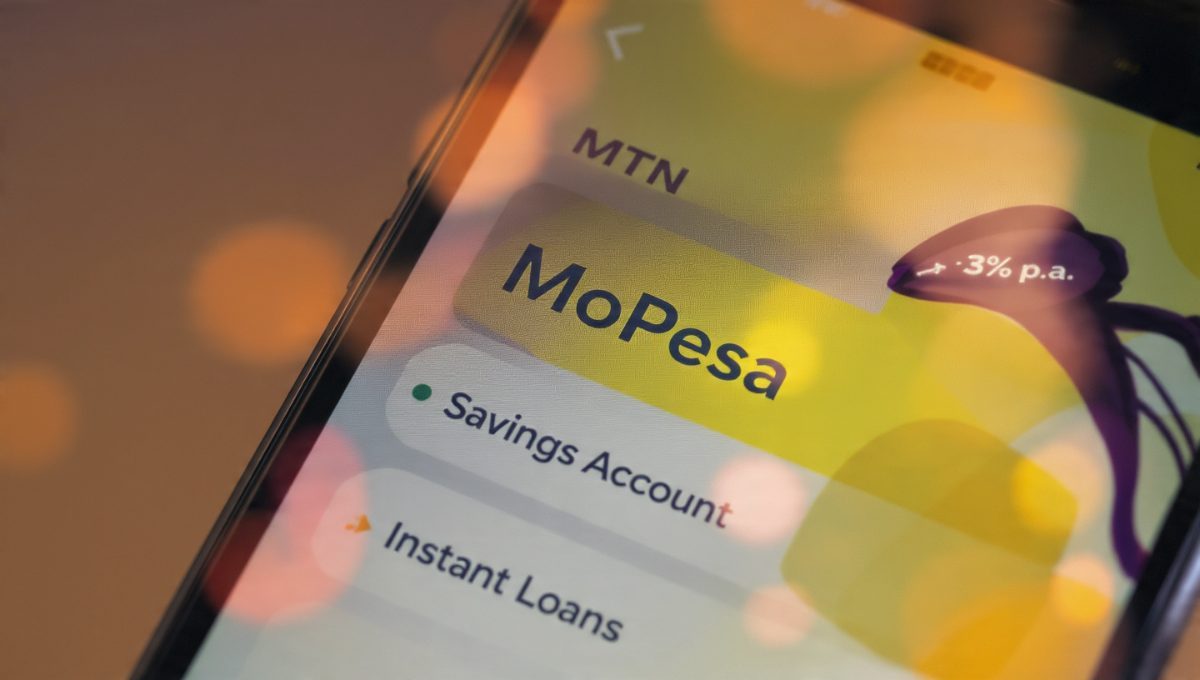
MTN MoPesa (Uganda): 2-in-1 Savings and Loans
MoPesa is a powerful product combining an interest-bearing savings account with instant loans.
Access: Dial 1655#
Savings Features:
Move money between your MoMo wallet and Savings account at no charge.
Automated Savings: Set up direct deposit daily, weekly, or monthly from as little as UGX 500.
Interest: 3% per annum, calculated daily and applied monthly to your account.
Two options: Regular Savings Account or Fixed Deposit Account.
Instant Loans:
Quick credit without physical paperwork.
Flexible repayments — partial or full options.
Multiple loan requests allowed based on credit scores.
MTN MoMo Exclusive Bundles (Uganda)
The MoMo App now offers highly discounted data bundles, helping you save on everyday communication expenses.
1.5GB — UGX 2,000 (Tuesday/Wednesday exclusive)
1.47GB — UGX 3,000 (24 hours)
2.44GB — UGX 5,000 (7 days)
How to access:
Open the MoMo App → Select "Exclusive Offers".
Ghana: MTN MoMo Savings Options
Ghana has one of the most active mobile money markets in West Africa. MTN MoMo offers several named savings products. Here is exactly how Ghanaians can save.
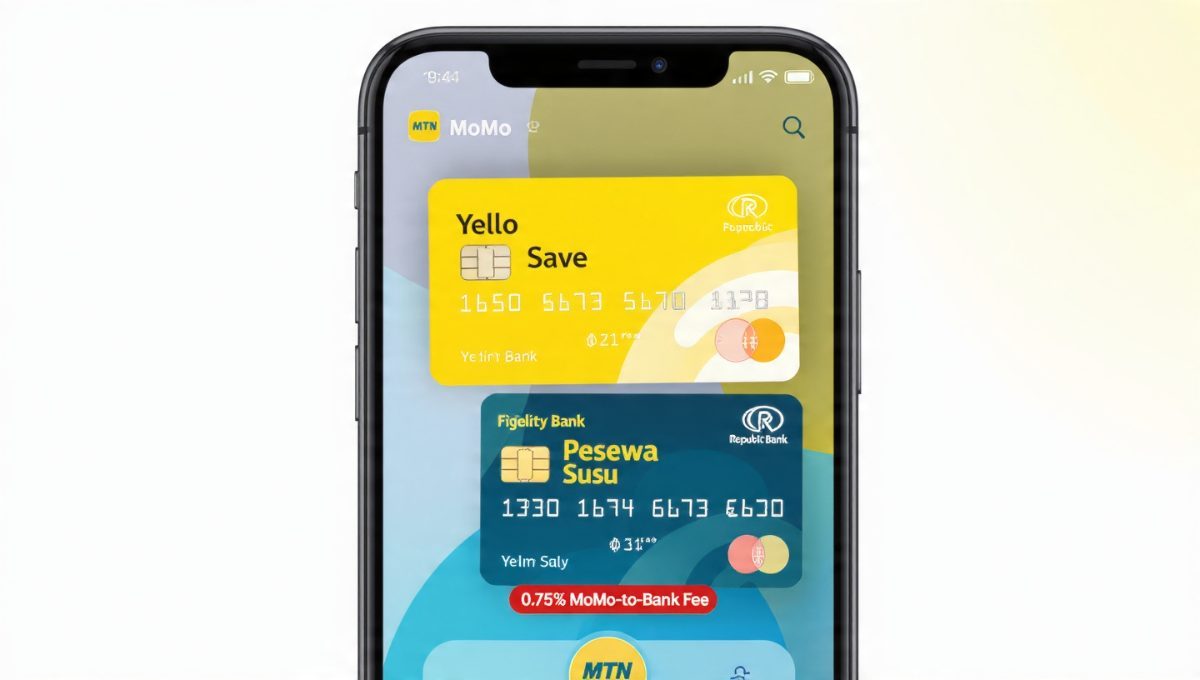
1. Yello Save (Fidelity Bank Partnership)
A high-interest savings product offered through MTN MoMo in partnership with Fidelity Bank.
How to access:
Dial *170# → Financial Services → Savings → Y'ello Save
Alternatively, open the MTN MoMo app and locate "Savings" or "Yello Save".
Key features:
Initial deposit: GH¢5 required to set up the account.
Transfer from MoMo wallet to savings at no cost.
Interest-bearing account with rates that can reach up to 8% to 12% per annum.
Important Note: Interest rates may vary based on your savings portfolio and withdrawal behavior. If you withdraw money more than three times in a single month, your interest rate may drop to a flat 3% per year. Withdrawals can only be credited back to your registered MTN Mobile Money account.
2. Pesewa Susu (Republic Bank Partnership)
A savings product in partnership with Republic Bank that sweeps the spare pesewas from your wallet daily.
How it works:
Link your MTN MoMo wallet to Pesewa Susu.
Daily, the system sweeps spare pesewas (your small change) from your wallet.
Money goes into a dedicated savings account.
Interest rate: 6% per annum (variable) — this is 50% more interest than the standard 4% customers typically earn on their mobile money wallet.
Interest is calculated daily and paid quarterly.
How to access:
Open the MTN MoMo app.
Look for "Pesewa Susu" or "Savings".
Follow the prompts to activate.
3. MoMo-to-Bank Transfers: 2026 Fee Warning
Important Update (June 1, 2026): MTN MoMo-to-bank transfers are no longer free. They now attract a 0.75% fee per transaction, capped at GH₵5.
What this means for you:
Moving money from your MoMo wallet to a commercial bank now incurs a cost.
In-app savings products like Yello Save or Pesewa Susu are now more cost-effective because wallet-to-savings transfers inside the platform remain completely free.
Plan your transfers strategically to minimize fees.
Note: There have been reports that the Bank of Ghana suspended this fee. Always verify the current status directly within your MTN MoMo app before making transfers.
Auto-Transfer Strategies
To set up automated savings:
Open the MTN MoMo app.
Go to "Settings" or "Scheduled Transfers".
Set up a recurring transfer (daily, weekly, or monthly).
Choose your savings account or wallet as the destination.
Confirm and activate.
Digital Susu and Savings Clubs
Ghana's traditional susu system has gone digital. Many platforms allow you to:
Join a virtual, secured savings group.
Contribute daily or weekly.
Withdraw at a pre-set time (e.g., end of month).
How to find:
Search "digital susu Ghana" on the Google Play Store.
Look for apps with high ratings and positive reviews.
Verify that the platform is registered with and regulated by the Bank of Ghana.
Airtel Money: The Fee-Saver
Airtel Money has carved out a distinct niche as the cost-effective alternative. With roughly 40 million active users across 14 countries, it offers unique savings advantages through fee minimization.
Fee Optimization Strategy
Rule 1: Airtel-to-Airtel transfers are free. Stick to peer-to-peer transfers on the same network to avoid fees entirely.
Rule 2: Use the Rudishiwa rebate (Kenya). Bank-to-wallet top-ups qualify for a 50% airtime rebate. A KSh 1,000 top-up with a KSh 20 fee returns KSh 10 to you as airtime.
Rule 3: Check fees before transacting. Use the built-in Airtel Money Transaction Cost Calculator to preview exact fees before you send, withdraw, or top up.
The Safety Strategy
Airtel's leadership advocates a simple but powerful safety strategy: use a separate, low-balance account for everyday digital payments.
The Logic: If you link your primary, high-balance savings account to public-facing payment apps, a single security mistake could put your entire savings at risk. Keeping a secondary account with limited funds minimizes your potential exposure.
How to apply this to mobile money: Consider your main mobile wallet as a "spending account." Keep only what you need for daily transactions. Move the rest to a dedicated, locked savings product within the app, or to a separate savings-only account.
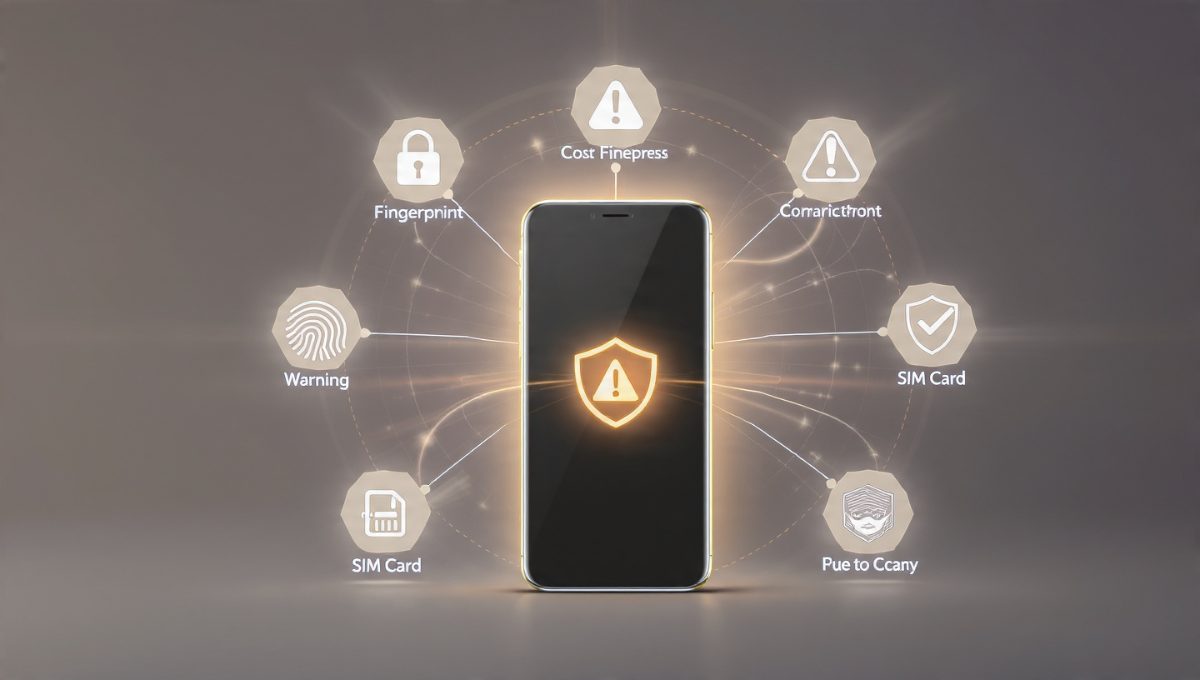
Protect Your Savings: Essential Security Tips
Mobile money fraud is a major concern. Protect your hard-earned savings with these essential protocols:
Never share your PIN: MTN, Airtel, and Safaricom will never ask for your PIN. If someone calls asking for it, hang up immediately and report the number to your provider.
Enable app security features: Use fingerprint or face unlock. Enable two-factor authentication (2FA) where available, and set daily transaction limits on your wallet.
Verify transaction messages: Always check the amount and recipient's name before confirming. SMS confirmations should match your action. If you receive a message for a transaction you didn't initiate, report it instantly.
Beware of fake customer care calls: Scammers frequently impersonate customer care reps to ask for your PIN or One-Time Password (OTP). Legitimate customer care will never ask for these. Always call the official customer care number printed on your SIM pack.
Use strong phone screen locks: Use a unique PIN, pattern, or biometric lock. Do not use easily guessable combinations like "1234" or your birth year. Enable phone lock after 30 seconds of inactivity.
Keep your core wallet balance low: Only keep what you need for immediate daily expenses in your main wallet. Move your savings to interest-bearing, restricted accounts.
SIM swap protection: Register biometric details with your provider. Set a SIM card PIN to prevent thieves from gaining wallet access if your physical phone is stolen. Contact your provider immediately if your SIM unexpectedly loses signal.
The Smart Saver's Strategy
1. The "Auto-Save" Setup
For M-Pesa users (Kenya):
Set up recurring transfers to M-Shwari on your payday.
Use Lock Savings for specific goals to capture higher interest rates.
Enable Ziidi Money Market Fund or Ziidi Trader for wealth and stock exposure.
For MoMo users (Uganda):
Dial 1655# and set up automated savings daily, weekly, or monthly.
Start with UGX 500 — the minimum is tiny, but the habit is powerful.
Use the MoMo App's exclusive bundles to save on data expenses.
For MoMo users (Ghana):
Set up recurring transfers to Yello Save or Pesewa Susu.
Use Pesewa Susu to automatically sweep spare pesewas daily.
Since MoMo-to-bank transfers now cost 0.75% (capped at GH₵5), keep your short-term savings within the MoMo ecosystem to avoid fees.
2. The Fee Optimization Hack
The average transaction fee on mobile money is roughly 1.5%. If you send KSh 1,000 daily, that's KSh 15 per day — equating to over KSh 5,400 per year lost in avoidable fees.
Action: Use your provider's fee calculator to check costs before transacting. If Airtel-to-Airtel is cheaper for your frequent circles, make the switch.
3. The "Pay Yourself First" System
Action: On payday, immediately move 10% to 20% of your income into a locked savings product. Use automated transfers so you do not have to remember to do it manually. Treat savings like a non-negotiable bill.
4. The Security Separation Strategy
Never keep large, liquid amounts in your mobile wallet. Use a secondary account or a locked savings feature to isolate your main wealth from daily transactional vulnerabilities.
At-a-Glance: Mobile Money Savings Products
Instead of complex tables, review the top savings and investment options across the major platforms below:
M-Pesa (Kenya) — M-Shwari
Best For: Everyday saving
Minimum Deposit: KSh 1
Interest Rate / Benefit: Up to 6.3% p.a. (variable)
M-Pesa (Kenya) — Lock Savings Account
Best For: Specific mid-to-long term goals
Minimum Deposit: KSh 500
Interest Rate / Benefit: Higher fixed rates of interest
M-Pesa (Kenya) — Ziidi MMF & Ziidi Trader
Best For: Direct investing, corporate bonds, and stock market access
Minimum Deposit: Low entry barrier
Interest Rate / Benefit: Market-based returns; Direct NSE trading
MTN (Uganda) — MoPESA Savings
Best For: Automated micro-savings
Minimum Deposit: UGX 500
Interest Rate / Benefit: 3% p.a. (paid monthly)
MTN (Ghana) — Yello Save
Best For: Bank-backed high-interest saving
Minimum Deposit: GH¢5
Interest Rate / Benefit: Up to 8% to 12% p.a. (variable)
MTN (Ghana) — Pesewa Susu
Best For: Automated spare change accumulation
Minimum Deposit: No minimum
Interest Rate / Benefit: 6% p.a. (paid quarterly)
Airtel Money — Core Wallet
Best For: Fee-free transactions
Minimum Deposit: Zero
Interest Rate / Benefit: Free peer-to-peer transactions (network dependent)
The Hard Truth
Let's look at the reality of the numbers:
60% of adults in Sub-Saharan Africa now save formally or informally.
Mobile money accounts fuel nearly 60% of formal borrowing in the region.
Yet, only 7% of adults actively borrow from mobile providers — leaving massive potential untapped.
"Many fail because they treat mobile money solely as a spending tool, ignoring the high-yield savings features sitting directly inside their pockets."
The Key Difference:
Success: Automated saving, optimized fee structures, and strict isolation of savings.
Failure: Spending directly from the wallet, ignoring interest-bearing options, and failing to automate.

Your One Action for Today
Open your mobile money app right now.
Locate the integrated savings feature (M-Shwari, MoPesa, Pesewa Susu, Yello Save, or your provider's equivalent).
Set up an automated, recurring transfer for just 5% of your income.
Check your latest transaction fees and map out one way to reduce them this week.
Move your primary savings out of your liquid wallet and lock them into an interest-bearing account.
Every small transaction can actively build your financial future. Start today.
Last Verified: July 2026